

The Worklogs & Budget Administration section in Worklog360 allows you to manage and adjust multiple worklogs at once. This is especially useful for:
-
Worklogs created before a budget was set up
-
Worklogs imported from external systems or logged by other apps
-
Correcting or updating billable hours, rates, or budget assignments
How It Works
-
Go to Financials/Worklogs & Budgets Administration.
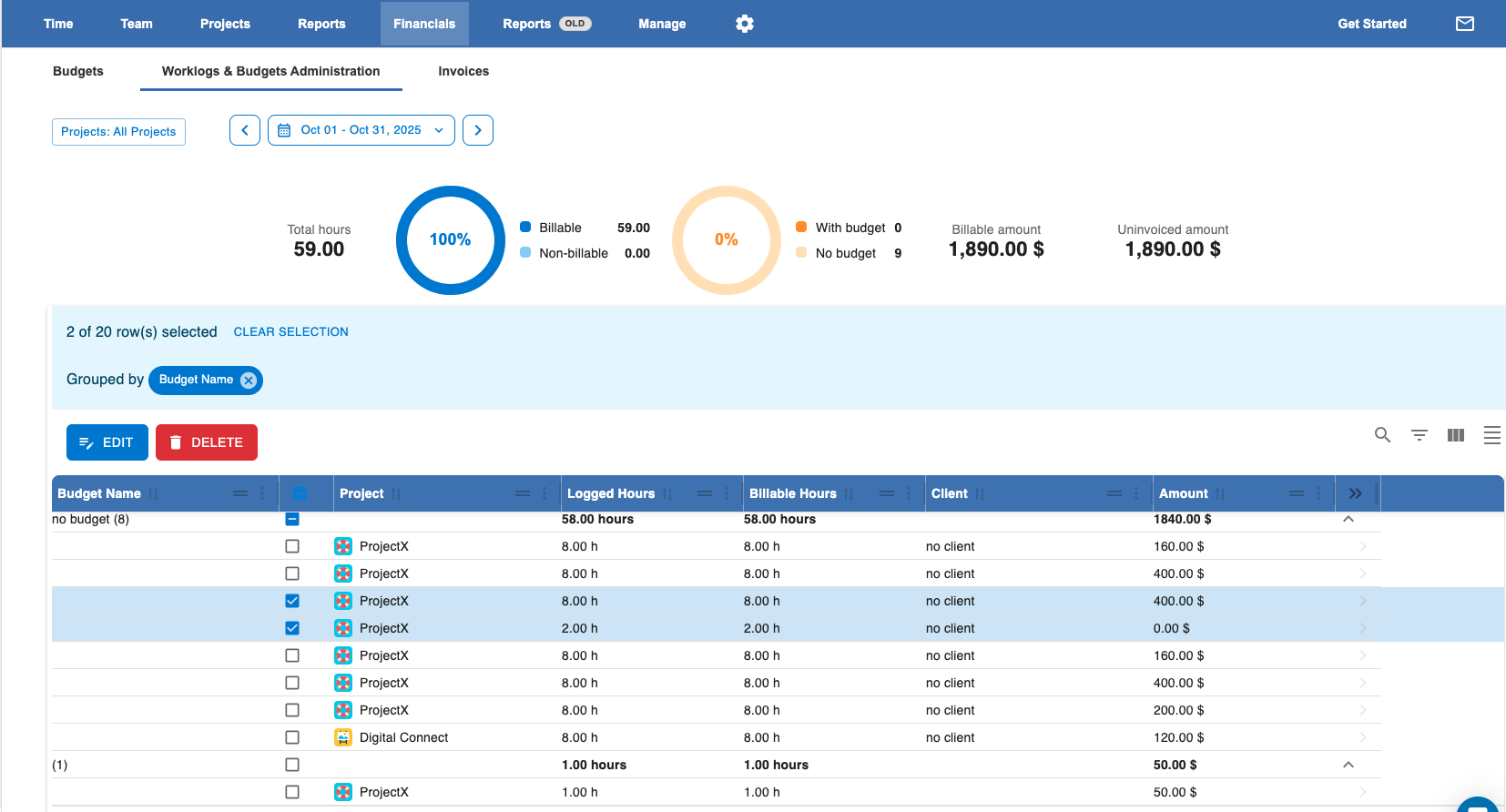
You will see then a list of all worklogs that are made for the corresponding selected period and Projects
-
Select the worklogs you want to adjust and click EDIT
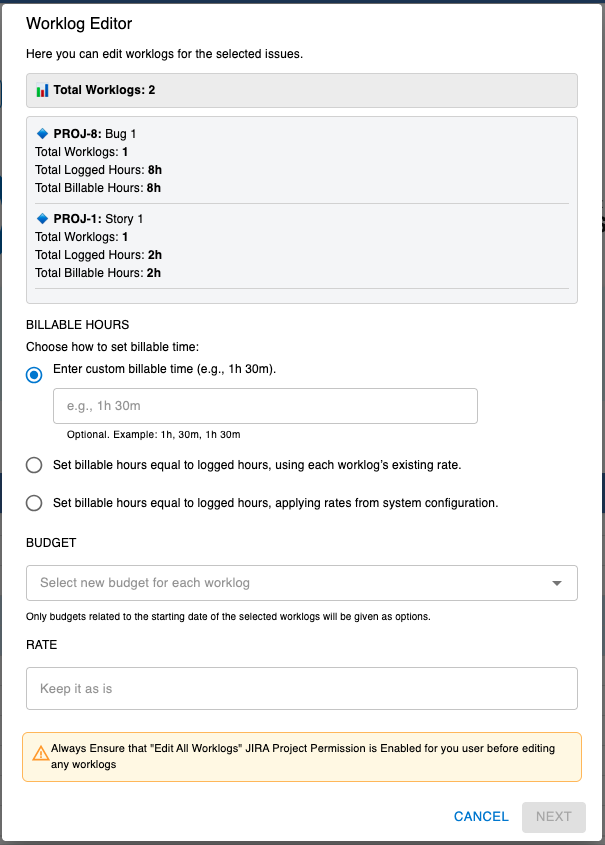
Key Actions You Can Perform Here
Billable Hours Options
-
Enter Custom Billable Hours
-
Set the same billable hours for all selected worklogs, regardless of what was originally logged.
-
Useful when correcting multiple entries or standardizing billing across similar tasks.
-
-
Set Billable Hours to Logged Hours (using each worklog’s existing rate)
-
Assign the billable hours to match the time already logged in each worklog.
-
Keeps the original rates for each worklog unchanged.
-
-
Set Billable Hours Equal to Logged Hours (applying rates from system configuration)
-
Assign billable hours to match logged time, but apply rates from the current system configuration (e.g., role, project, or instance rates).
-
Useful if your rate structure has changed and you want all worklogs to reflect updated rates. Or you have “imported” or created worklogs from other apps or Jira default time entering
-
Budget Option
-
Assign Worklogs to a Worklog360 Budget
-
Link selected worklogs to a specific Worklog360 budget.
-
Only worklogs that fall within the budget’s date range and belong to the budget’s Jira project can be assigned.
-
Ensures that time and costs are tracked correctly for reporting and invoicing.
-
Rate Option
-
Enter Custom Rate
-
Set a specific billable rate for all selected worklogs.
-
Overrides existing rates and ensures consistent billing across the selected entries.
-