
Even with a small team, you can quickly log hundreds or even thousands of worklogs each month. Timescale "Times Explorer" page allows you to organize all your worklogs in a way that makes the most sense for you.
Note: To see “Time Explorer” page. An administrator needs to enable this in Timescale/Settings/Permission page
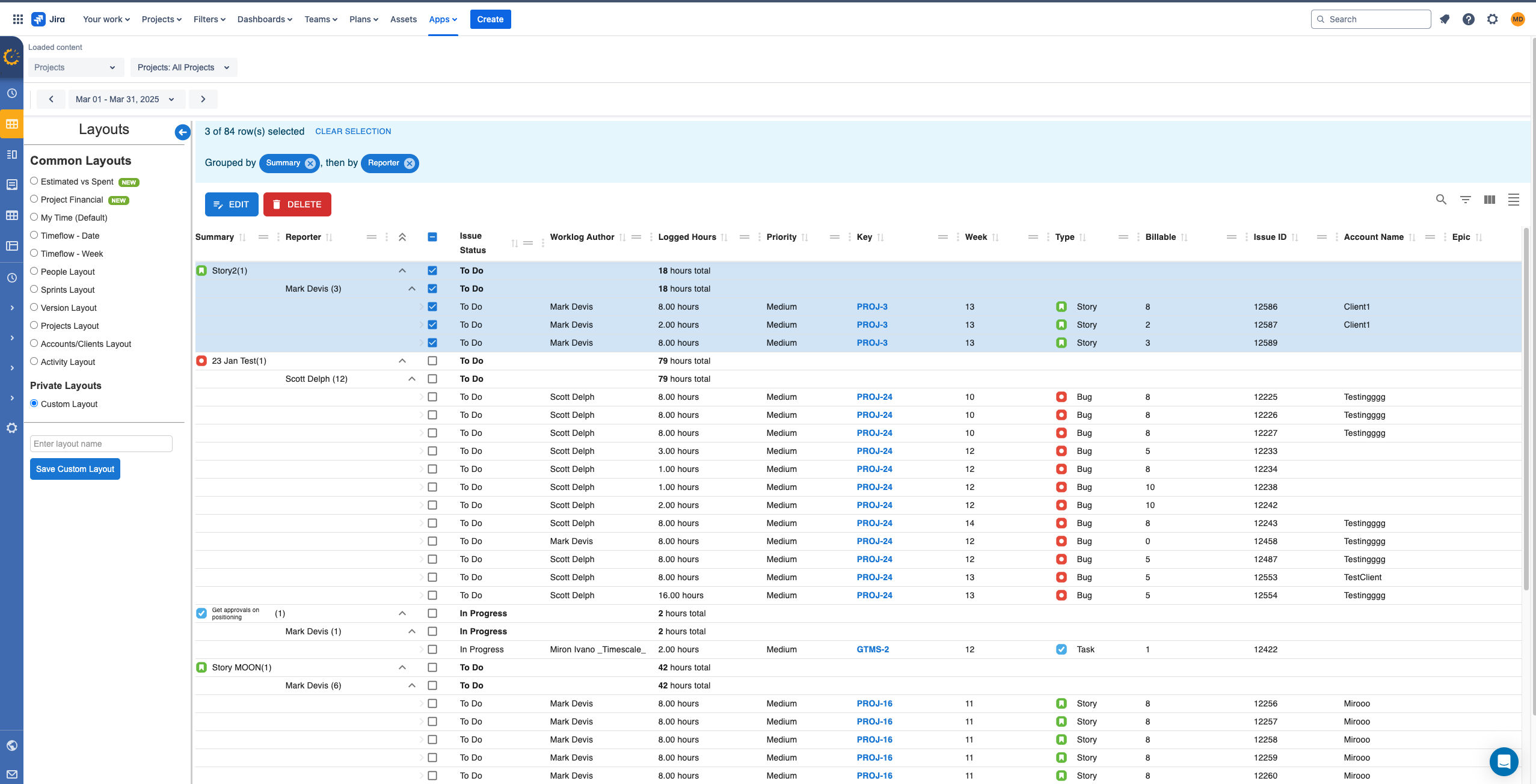
On this page, you can:
-
Edit time (manually as a single time entry)
-
Add, edit and save as many of your own "Layouts" as you wish
-
Change worklogs as "Billable" and "Non-Billable" time (single Line)
-
Delete selected rows (singularly or in bulk with selected rows)
-
Cherry-pick which columns display on the page
-
Ability to see when every worklog was created: when added, optional "Created Date" column displays on Times Explorer
-
Export (worklog details to Excel)
-
Group worklogs (based on different fields like Author, Project, Budgets, Accounts, Sprint, Week, Status, Rates, Amount, Label and many more
-
Sort and filter columns (see exactly what you want to see on the page, how you want to see it)
-
Resize and move columns (get a better look at the data that is important to you)
-
Remove filters (resets all grid filtering/sorting/grouping)
-
Bulk Edit - Rates,Billable Hours, Delete