
This report requires to have set up tracking CAPEX/OPEX using Jira custom Fields
With all the time logged you can generate a custom report that shows the hours spent on CAPEX and OPEX.
Create a timesheet report and selects the Filters Button then from the Custom Select Fields select the Capex/Opex_cb or Capex/Opex_tb field (depending the Team or Company Based Project).
This will filter and return both Capex and Opex hours and related issues.
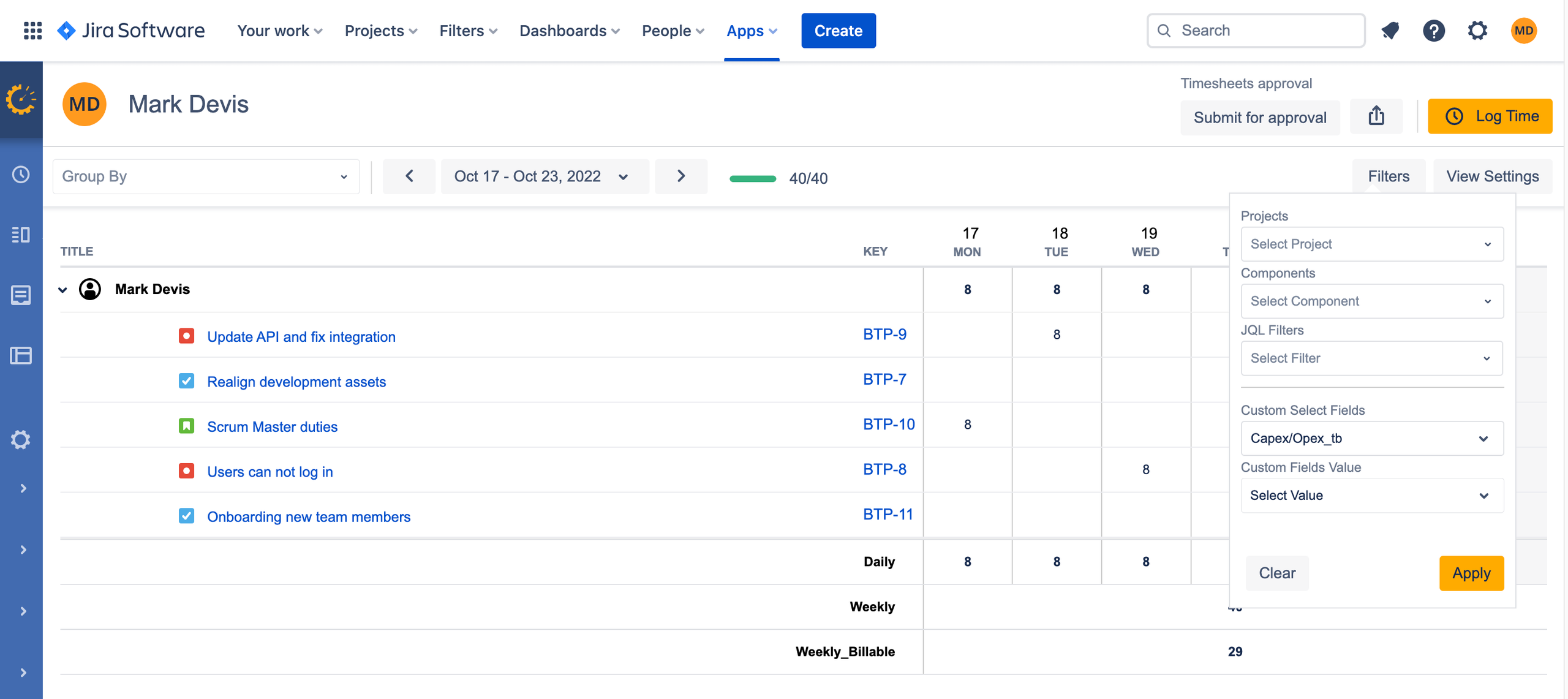
If you watn only the Capex hours you need to select that value from the Custom Fields Value field
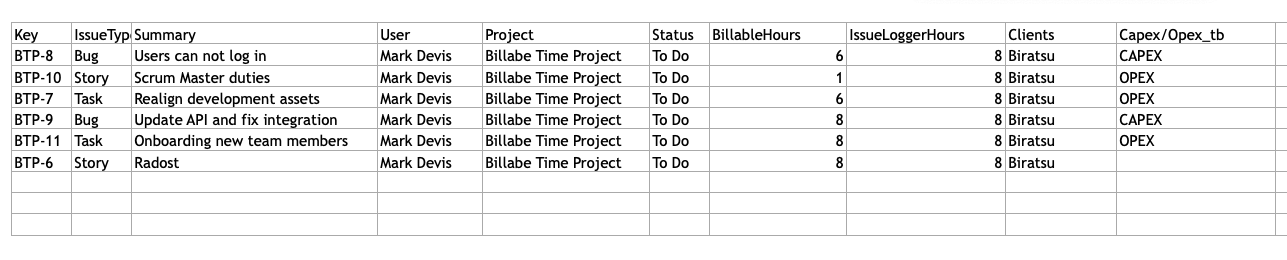
Export this report as an Excel/PDF/CSV spreadsheet to send to Accounting department. In that excel Export there will be also an Capex/Opex Custom Field column
Finally, save this custom report so that you can run it again later.