
In Worklog360, users can view their currently logged work as a timesheet or a calendar by:
Navigating to Apps > Worklog360 > Time
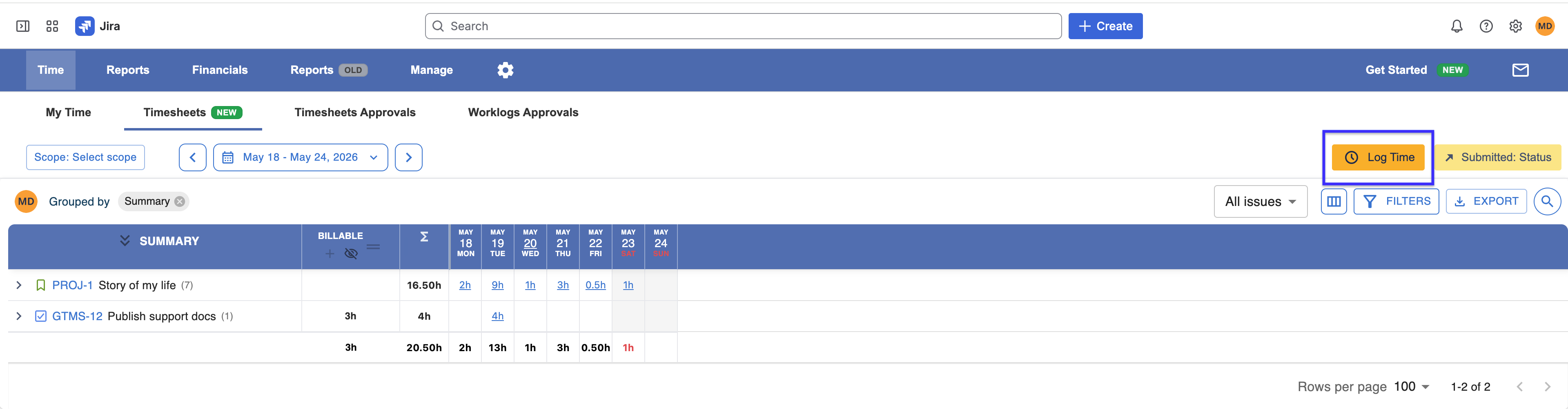
Timesheet View
The Time page displays a timesheet for the currently logged-in user. As with any timesheet, the page can be configured for a specific date range, space(s), filters, and breakdowns.
You can also create/edit worklogs from this view.
Calendar View
Users can click the Calendar tab to see their logged work on a calendar.
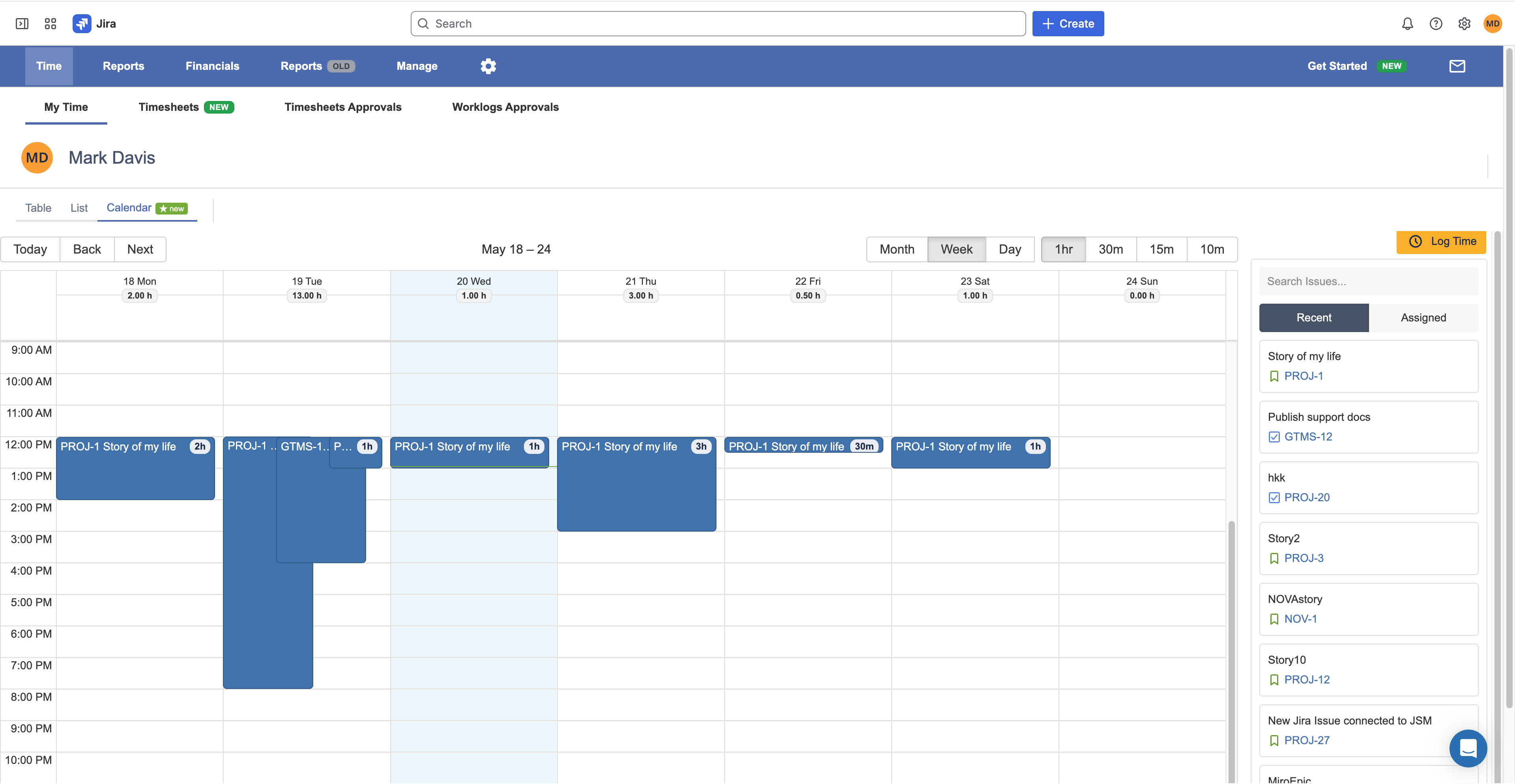
You can also create/edit worklogs from this view.