
Reports allow you to view timesheets with the same parameters repeatedly without having to configure the filters and breakdowns each time.
Save a Timesheet or Pivot Time Table as a Report
To create a report:
-
Select Apps > Worklog360 from the main Jira menu.
-
Click on Reports in top bar.
-
Select from Summary, Detailed or Timesheet reports.
-
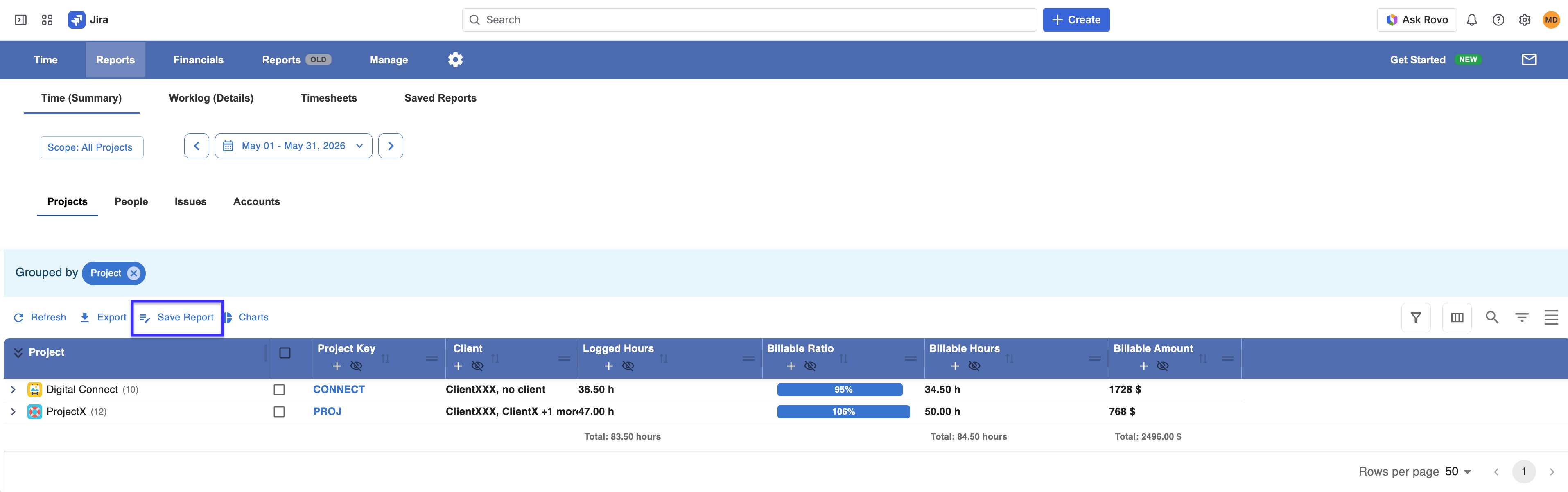
Set the appropriate filters and breakdowns, click Save as.
-
Name the report and click Save Report.
Note that reports will be visible in the first place only for the person that creates it. He can later share it with other users.
View a Report
To view a saved report:
-
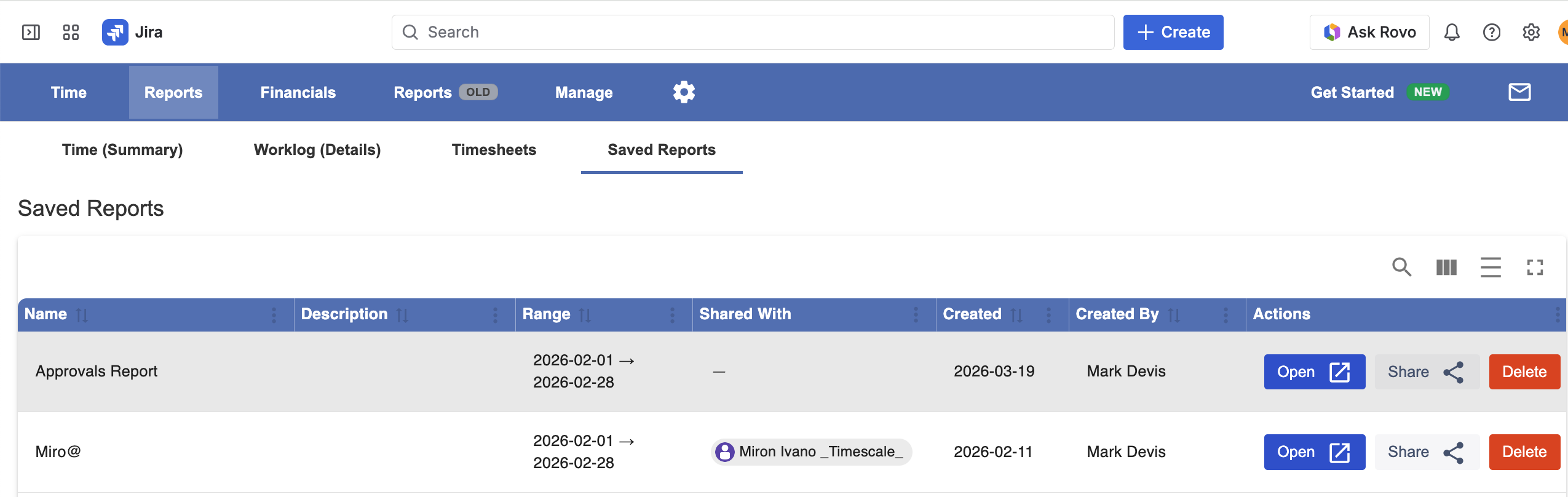
Navigate to Apps > Worklog360 > Reports and select Saved Reports.
-
A list of all reports will be shown. Click on the name of the report you want to view.
Delete a Report
To delete a saved report:
-
Navigate to Apps > Worklog360 > Reports and select Saved Reports.
-
A list of all reports will be shown. Click on the Delete button to the right of the report you want to delete.
-
Click Delete.