
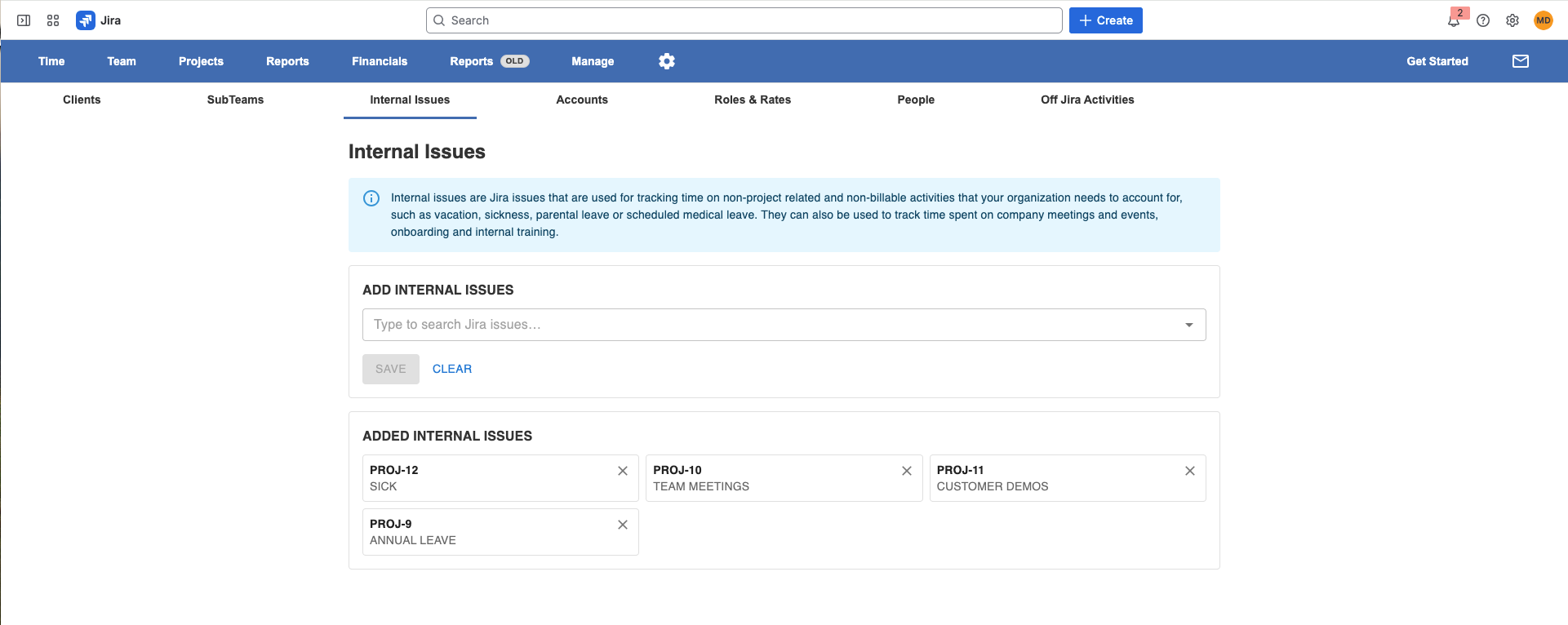
Internal issues are Jira issues that are used for tracking time on non-project related(They are replacing the current Absence & WorkTypes activities in Worklog360 ) and that your organization needs to account for, such as vacation, sickness, parental leave, or scheduled medical leave. They can also be used to track time spent on company meetings and events, onboarding, and internal training.
Internal issues are usually meant to be available for all employees in the organization, so to make sure that everyone can view and log time to these issues, they need to be granted the Browse Projects and Work on Issues permissions for each Jira project where the Internal issues live. Using a single Jira project to contain the Internal issues makes permission management much simpler, but you can use as many issues in as many projects as you like.
Internal issues are not used for public holidays. To do that, you must set up one or more holiday schemes for your organization.
When a Jira issue is configured as Internal in Worklog360, it is identified and used properly in the new Reports/Timesheets.
People can now log time on internal issues the same as they log time on any other Jira issues and later manger can filter out that time. (The Old Tap(Absence & WorkTypes) in the Worklog Form is not needed any more as well as the “Off Jira Activities” under the Manager Menu)
By default, if you don’t use any filter on the new Reports/Timesheet, you’ll see all the time spent by your team on all types of work items. With Internal Issues, you can easily filter the Timesheet to see only Internal Issues or see all tasks time except the Internal Activities.