
Accounts are a flexible feature in Worklog360 that helps you organize your company's projects and initiatives to get useful time data, such as time spent by multiple teams across multiple Jira projects.
The super thing about Worklog360 accounts is that you can use them to keep track of - and extract - information from time data for many different reasons, such as to:
-
Define the cost centers in your company with operating expenses (Opex).
-
Keep track of billable hours and non-billable hours spent on work for a client or customer.
-
Keep track of Capex hours for applying for tax credits.
-
Organize the time spent on different projects or initiatives, such as development, marketing, training, or support.
The Basic "Life Cycle" of an Account
-
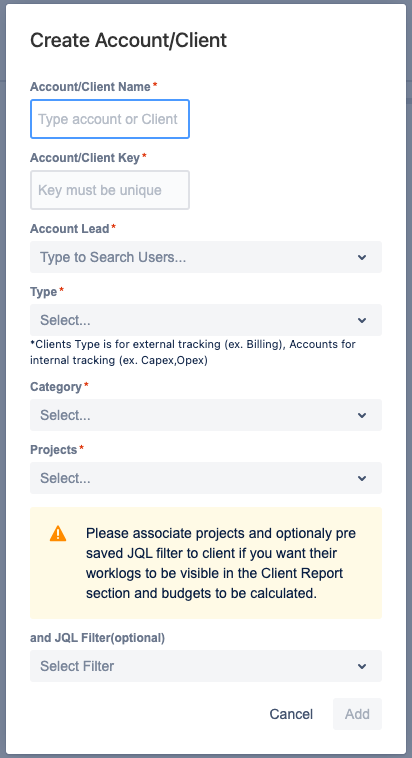
Accounts are created by the Worklog360 Administrator. The accounts can be for the different projects and initiatives to organize the time data as needed for your company. An Account Lead, such as an account manager or project manager, is assigned to each account.
-
Account categories can be created to add a level of organization to the accounts, which allows for useful filtering when running reports. Account categories are defined by their Type, which can be one of these four: Billable, Capitalized (Capex), Operational (Opex), or Internal. The Type provides another way of filtering data for reports.
-
Accounts are linked to one or more Jira projects to which they're associated. Then the account can be selected when team members log their time.
-
Time is logged to the relevant account by team members. They select the account from an Account dropdown in the Jira issue or the Log Time form. Only accounts that are linked to a Jira project will appear in this dropdown
-
Reports are run by account to extract the time spent on the different accounts. They export the reports in a format such as XLS or CSV format, and hand them over to the financial team.
-
These reports are used by the financial team for accounting purposes, such as sending invoices to customers/clinets from billable work, or applying for tax credits from work considered as a capital expenditure (Capex).