
Employee work requirements depend on the work week that you define here.The working time is required for Timescale to determines the number of working hours required per week and per day.
You can set different working time per employee to address different working hour requirements. For example, employees who work in different countries might have different working hour requirements, or some employees might be working only part-time. All Timescale users must be give working hours, the default is 40 working hours.
The required hours per day calculation is based on a user's working hours scheme. You must assign all users to a working hours scheme.
Holiday schemes also affect the working capacity for employees. Total capacity is equal to the working hours defined minus holidays defined in the holiday calendar.
Set a Working hours
-
Select Settings in the Timescale sidebar.
-
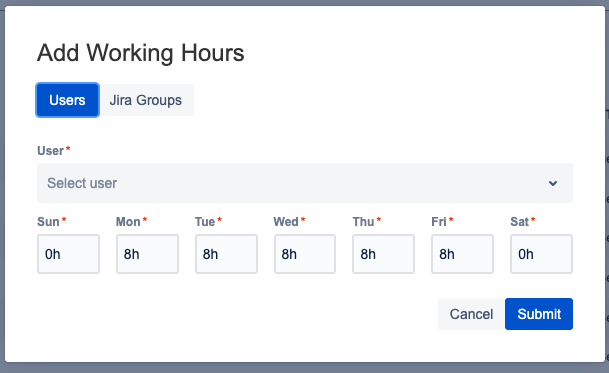
Under Working Hours, select +Add.
-
Now there are two options to assign working hours per employee. Either person by person or select a Jira group (that includes all employees) to assign the working hours for all employees
-
Put the working hours per day and click submit.
-
Once added you can edit the working hours only on individual level