
At the end of a week or a month depending on your timesheet approval period when you have completed the required workload and logged time, you can submit your timesheet to a reviewer, typically the Team Manager. They can be more than one reviewer. Before submitting the timesheet for a approval the status is Submit for Approval in My Time. Selecting a reviewer for a timesheet will automatically send an email to the reviewer asking them to approve or reject the timesheet.
Once you have submitted your timesheet, you can no longer create or edit worklogs in the submitted period unless your timesheet is recalled/reopen/rejected.
To submit your own timesheet for approval:
-
Select MyTime in the Timescale sidebar.
-
Click Submit for Approval at the top right to submit the current period's timesheet.
Approvals are only possible on weekly or monthly bases!
-
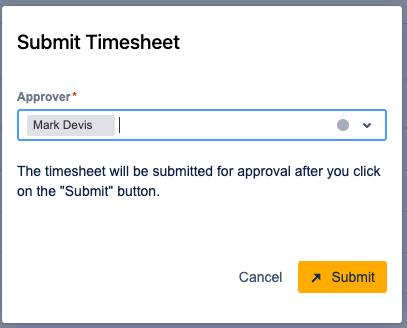
Select a Approver from the drop-down list. Approvers include any Team Manager for a team where you are a member
-
Click Submit. The period status changes to Waiting for approval.